
Voice Capture logo — a microphone and a document with a transcript

Voice Capture

Talk. The app does the rest.

Catches the thought before it gets away — and turns it into a transcript, notes and tasks. Private, in Europe.

Voice recorder & transcript and AI summary

Coming to the App Store beta test in progress

No sign-up. You start in ten seconds.

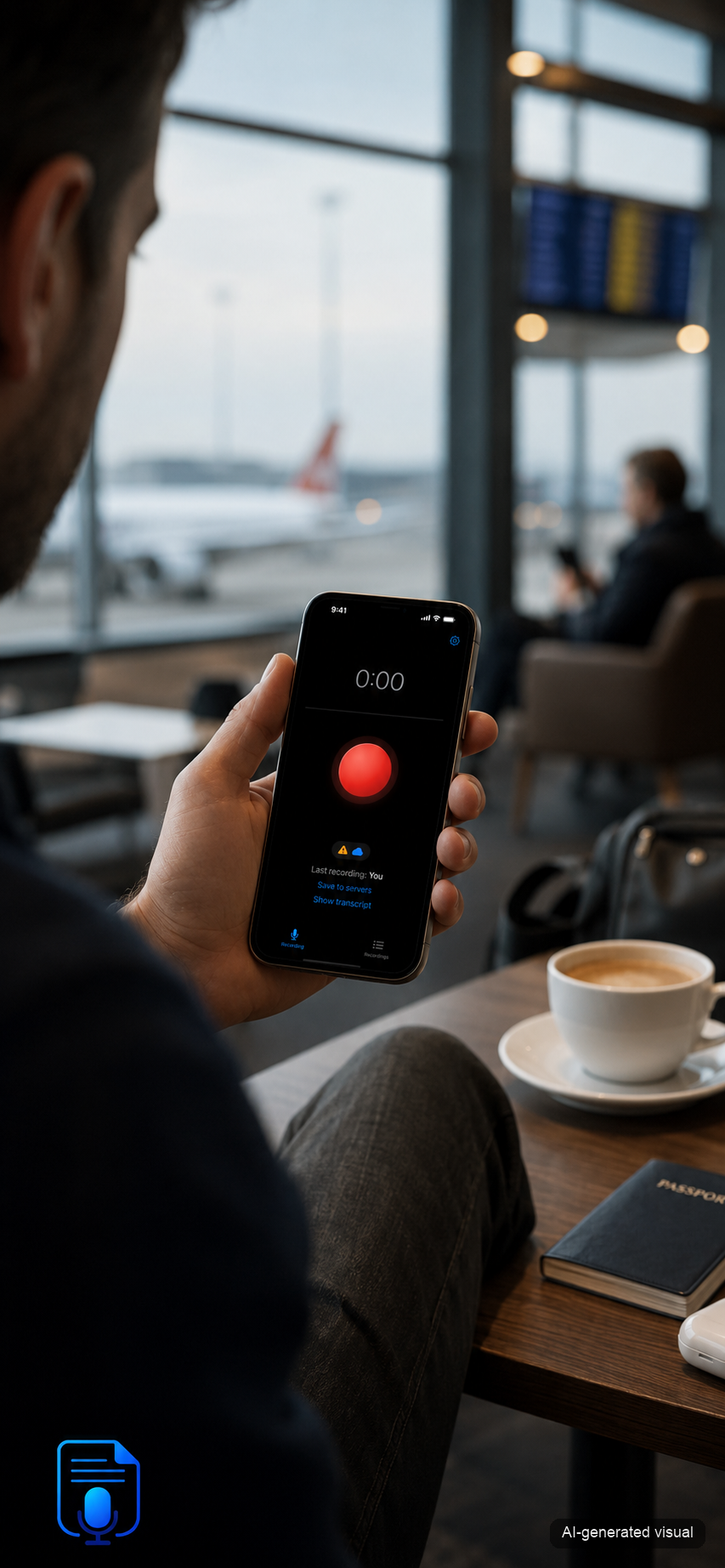
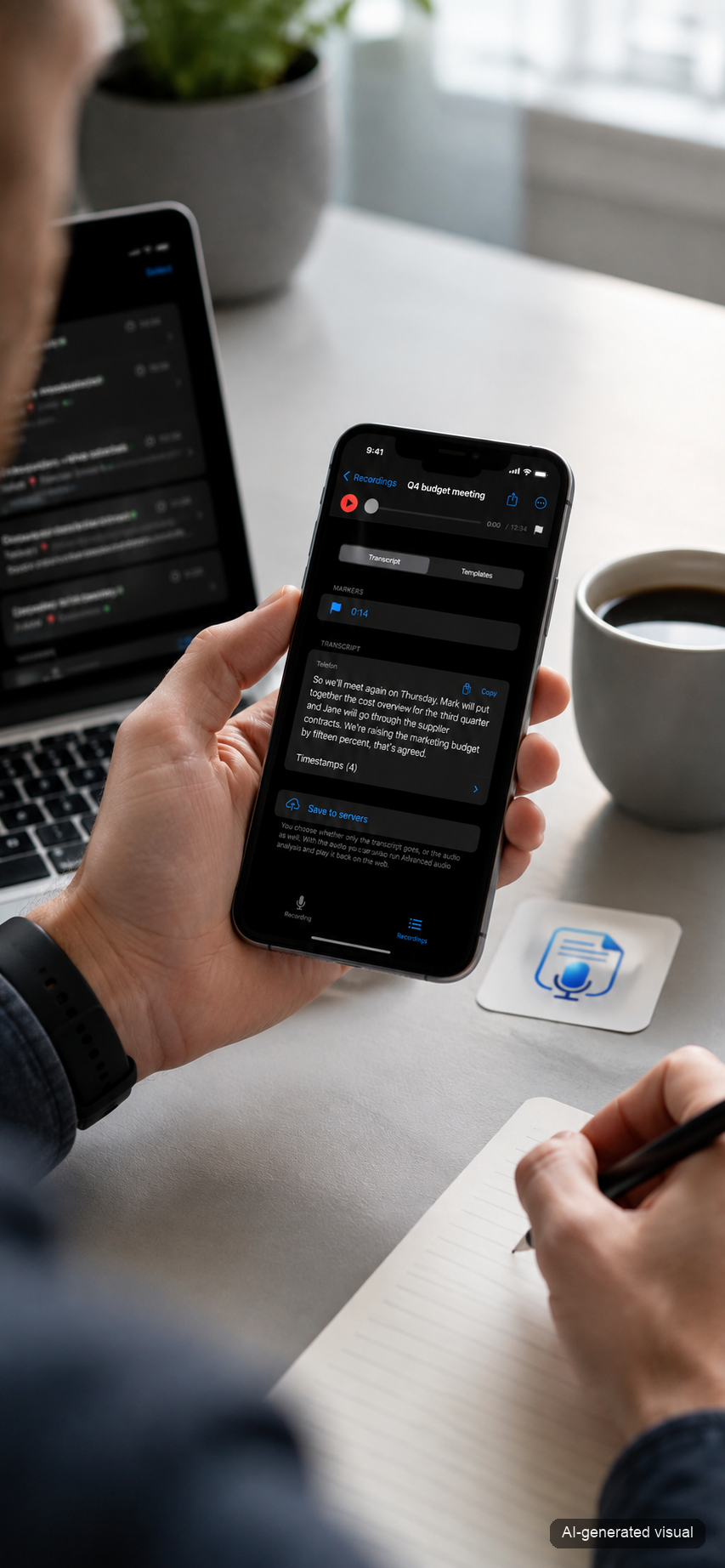
AI-generated illustrative visual — Voice Capture recording a voice note AI-generated illustrative visual — Voice Capture showing a finished transcript

Illustrative visuals created with artificial intelligence. The app screenshots are from the real app.

A notebook that keeps up with your thoughts

Voice Capture is a voice notebook for people whose thoughts run faster than they can write them down. No sign-in, no meeting setup — you just record.

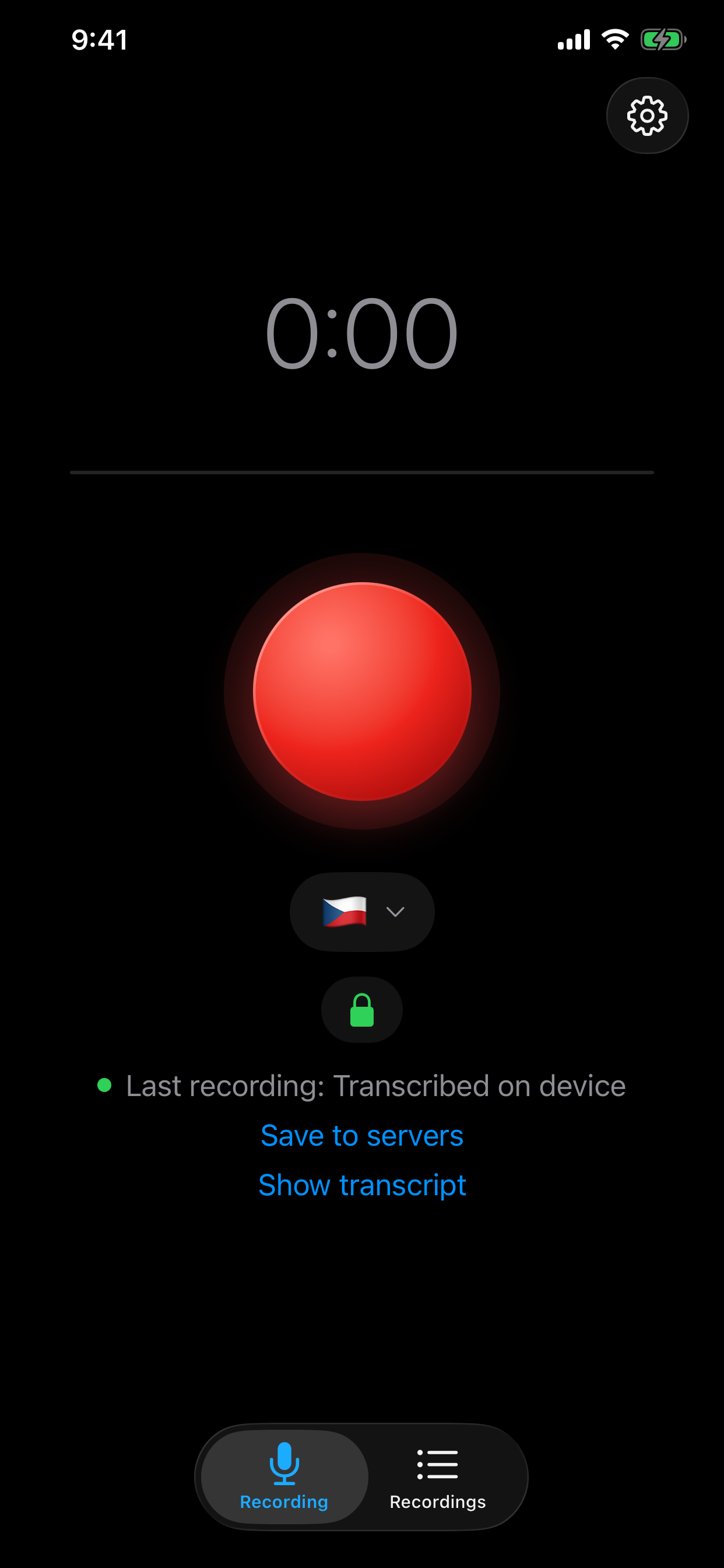
Recording screen — a large red button, tap to record, hold for a quick note
Speed

From thought to recording in a second

All of it works with one thumb, even walking and without looking — with haptic feedback.

  • Tap and a long recording runs — a whole meeting, for instance.
  • Hold for a quick note — let go and it is done.
  • Drag up and recording locks, so you can let go.

Home Screen widget, Action button and Lock Screen — recording is always one touch away.
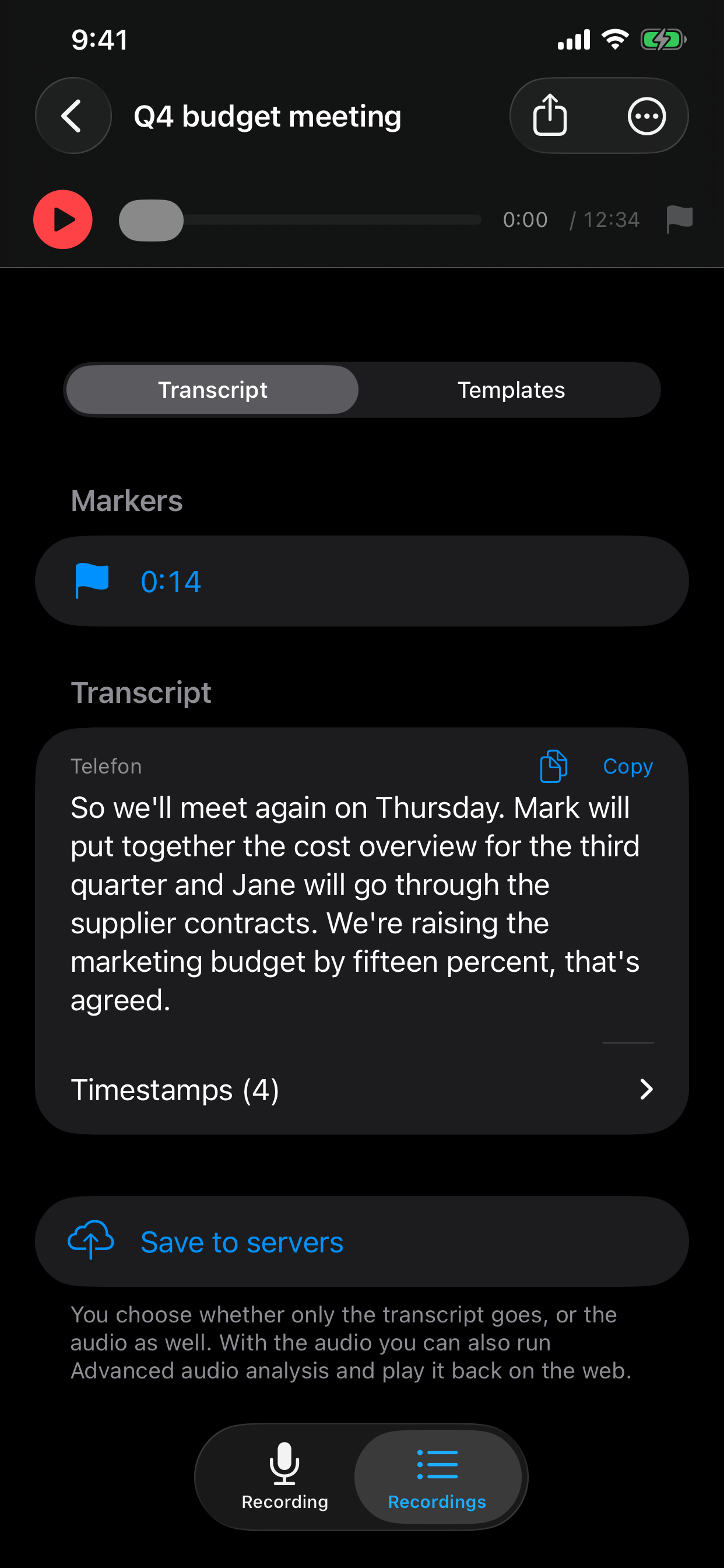
Recording detail — floating player, Transcript / Templates switch, markers and the transcript
Original and outputs

One recording. As many views as you want.

The transcript is an immutable original — never overwritten, never lost, never quietly “improved”. On top of it you pick a template and AI produces a separate output. Edit outputs or create them again; the original stays untouched.

General notes Meeting minutes with tasks Site supervision Sales meeting Health note Longevity journal Advanced audio analysis Your own template

Advanced analysis hears individual speakers, tone and ambient sound. One meeting gives you notes for yourself and a report for the client.

None of the ready-made ones fit? With Premium you write your own: describe in your own words what AI should make from a recording, and the template shows up in the menu next to the others. You can keep up to five of them and rewrite them anytime.

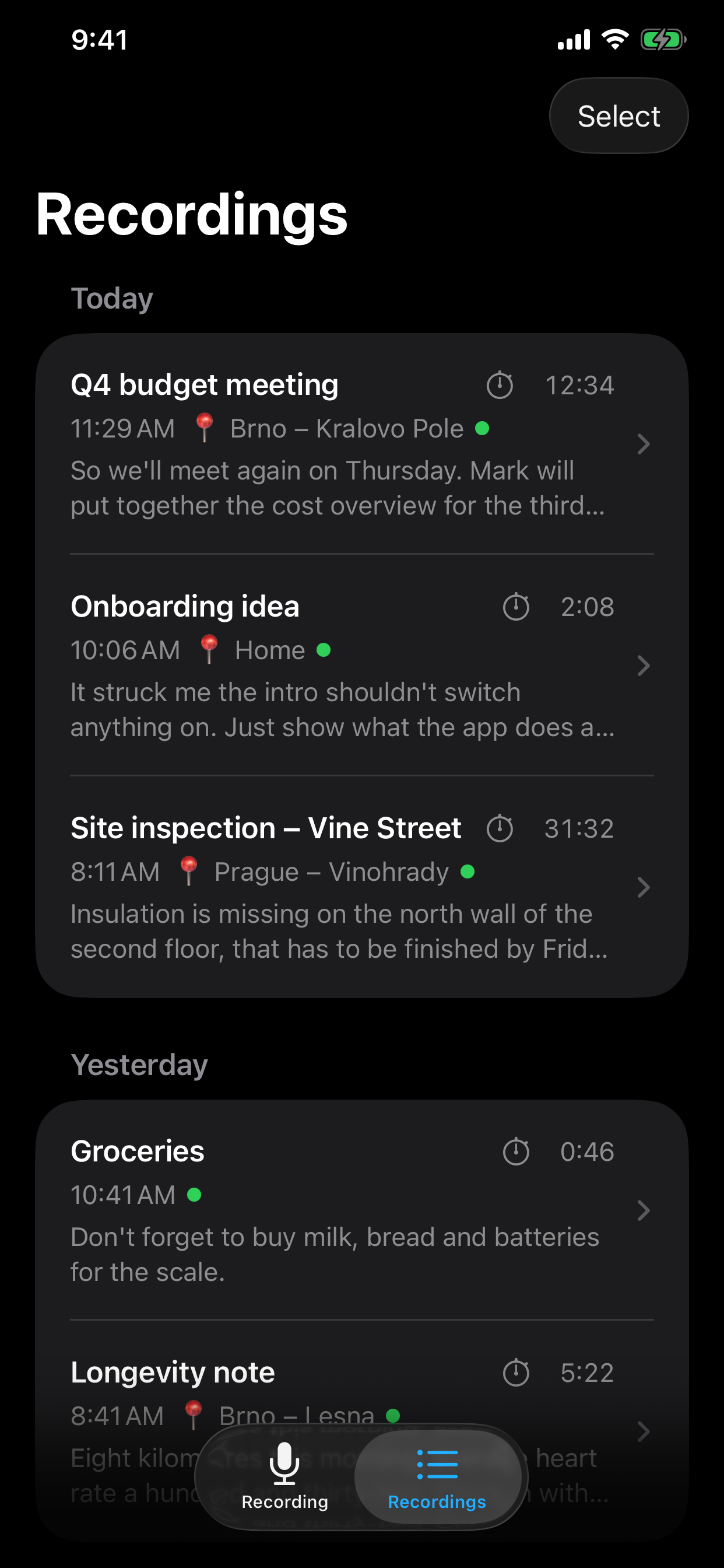
Recordings grouped by day — title, time, place, length and the start of the transcript
Library

Everything findable, nothing lost

Recordings laid out by day, with title, summary and length at a glance.

  • Every recording carries a time and — if you allow location — the place it was made.
  • During playback the word you hear lights up; tap the text to jump there in the audio.
  • A recording is never lost: it is made on the phone and you can send it later.

Local first. Cloud when you want. AI when you allow it.

On newer iPhones the transcript is created on the device itself. You decide what goes to the servers and what AI may process — permanently in Settings, or just for a single recording.

This iPhone Recording and transcript are made here. Nothing leaves without your consent.
Voice Capture (EU) You allow the transcript and the audio separately. Storage in Frankfurt.
AI (EU) A separate decision. Processing runs in the Netherlands.
🇪🇺 Stored in Frankfurt 🇪🇺 AI processing in the Netherlands 🚫 No model training on your data

Privacy you can check

Settings draw the data path for you — and the nodes your data never reaches are greyed out. The picture shows your setup, not a generic diagram.

The web adds a “Where my data is” overview: exactly what sits on the servers. And you can delete all of it, account included, whenever you want.

Three separate decisions

Transcript to the servers, audio to the servers, AI processing — you choose each one separately. The recording screen shows what will happen, and a tap changes it for a single recording.

On-device transcription needs iOS 26 and a downloaded language model. On older iPhones the transcription runs on servers in the EU.

Built for Czech first — and it shows

Transcription, summaries, speaker labels, the app and support — all built for Czech from the start, not machine-translated from English. The same care goes into English.

Speaker separation (“Speaker 1”, “Speaker 2”) is included, not an add-on you pay extra for.

Your data, your archive

What is yours stays yours. No vendor lock-in.

Transcripts on the big screen too

Recordings, transcripts and every AI output are waiting in your browser at voice-recorder-2026.web.app/moje — with the spoken word highlighted during playback. Just sign in with Apple ID.

Connect it to your tools

With a personal key, anything else can read your finished transcripts — Notion, Zapier, Shortcuts, your own script or your journaling app. You create the key in the app with one tap and revoke it whenever you want.

The key can only read: no uploading, no deleting, no touching your account. You can take your data out by export as well; nothing locks you in.

How it works

Three steps. The first one is the only one you do.

Record

Tap or hold the button and talk. Nothing else to set up.

The phone transcribes

The transcript is created right on the phone and becomes an immutable original.

Pick a template

AI turns the transcript into notes, tasks or a journal — as many times as you like.

Stop typing. Start talking.

Voice Capture is in beta and heading to the App Store.

Coming to the App Store beta test in progress